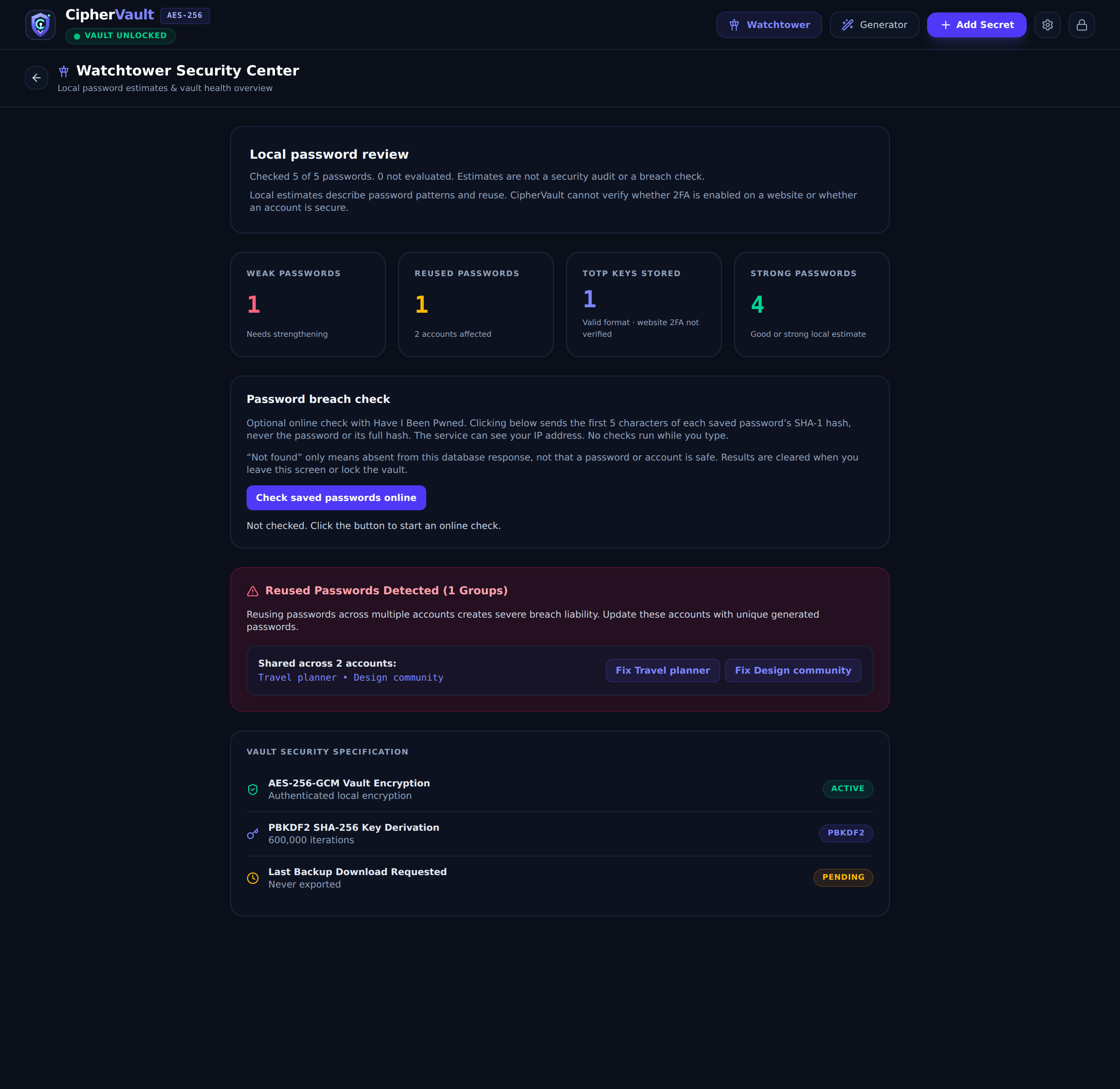
FULL APP SCREENSHOT
Understand your vault.
Review local password strength and reuse findings. Optional, user-initiated breach checks use HIBP.
 CipherVaultTHE PRODUCT SHOWROOM
LIVE PRODUCT DEMO · RC3
Meet CipherVault: a browser-local vault for logins, notes, cards and identities. Explore the experience, then make the source your own.
No sign-up. Fictional samples. Resets on reload.
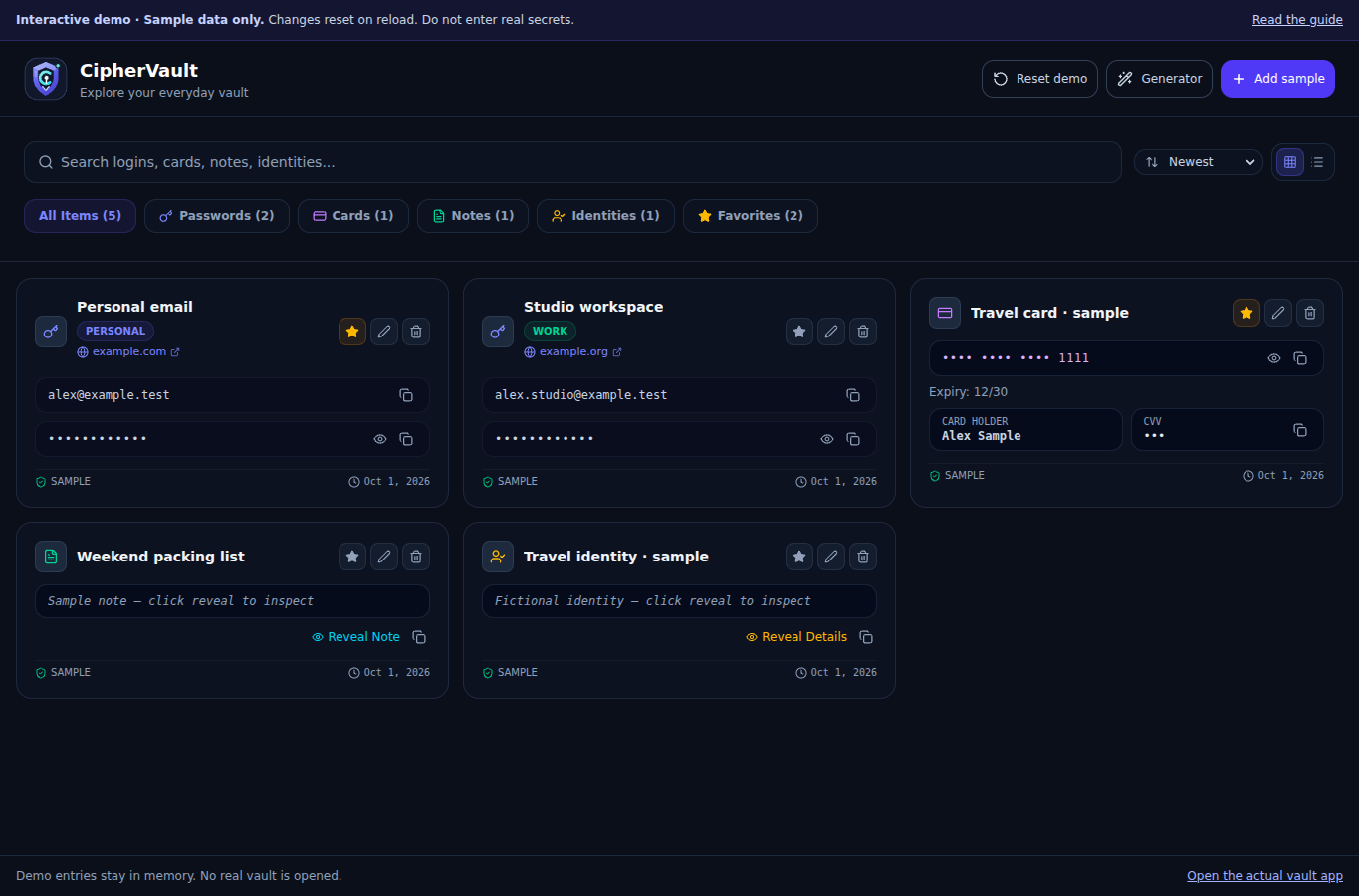 Explore the interface
Your own space to explore.
Add, edit and reset samples. Nothing to set up.
Browser-localVault data in your browser profile
Encrypted storageAES-256-GCM in the full app
Source includedReact & TypeScript application
01 / GET A FEEL FOR IT
Go straight to a feature or explore the sample vault at your own pace.
Search “Studio”, filter by entry type, save a favorite and switch between grid and list.
Explore sample entries 02Open the fictional workspace login and inspect a changing TOTP code and its sample key.
Try the TOTP sample 03Choose a password or passphrase, adjust the options and generate another with a click.
Open the generatorThis is a temporary demo. Use fictional information only. Changes disappear when you reset or reload.
02 / THE COMPLETE APPLICATION
These screenshots show full-application workflows included in the source package. They are not interactive in this demo.
Review local password strength and reuse findings. Optional, user-initiated breach checks use HIBP.
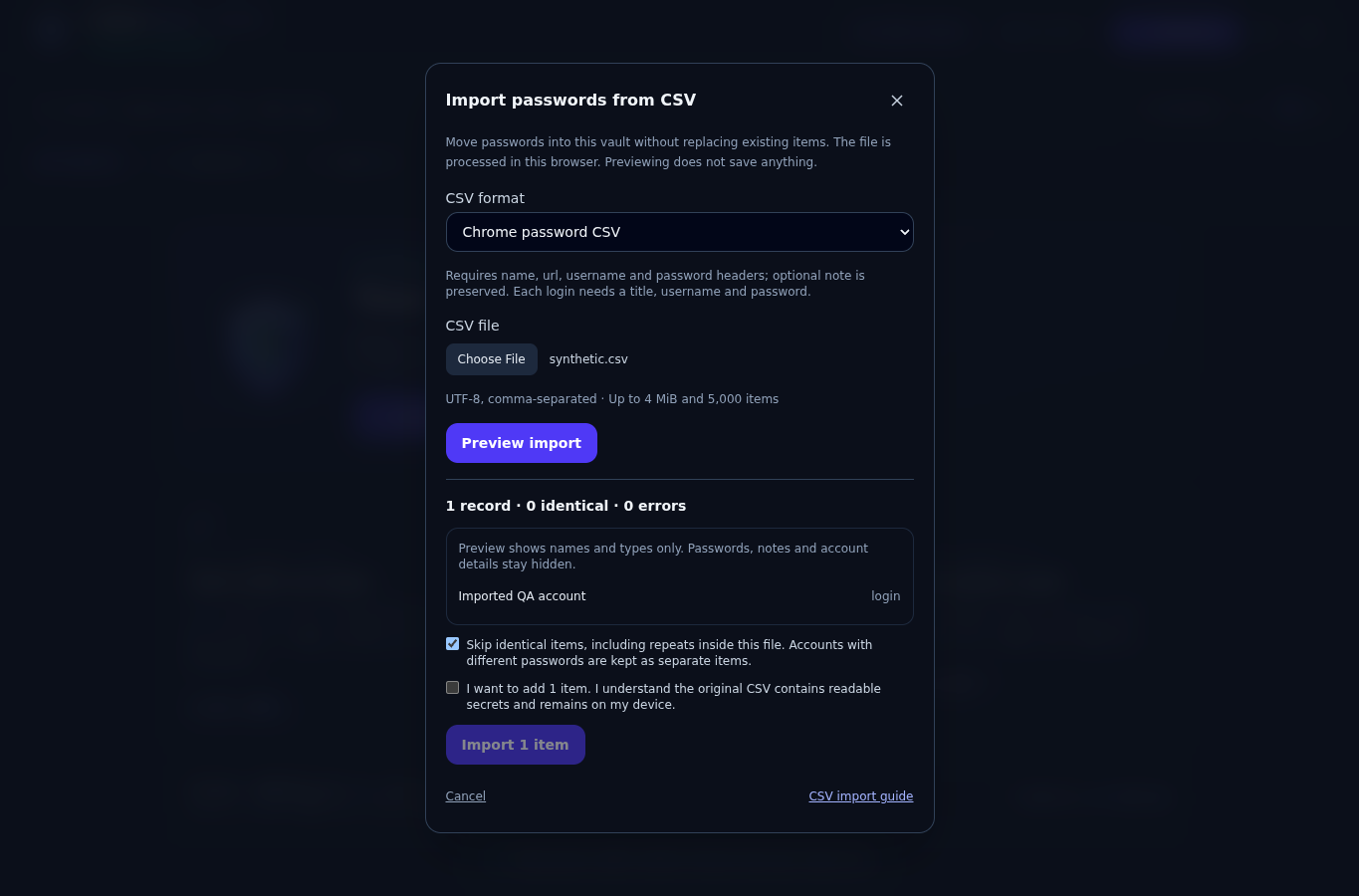
Preview supported Chrome and CipherVault CSV, inspect errors and handle identical entries before confirming.
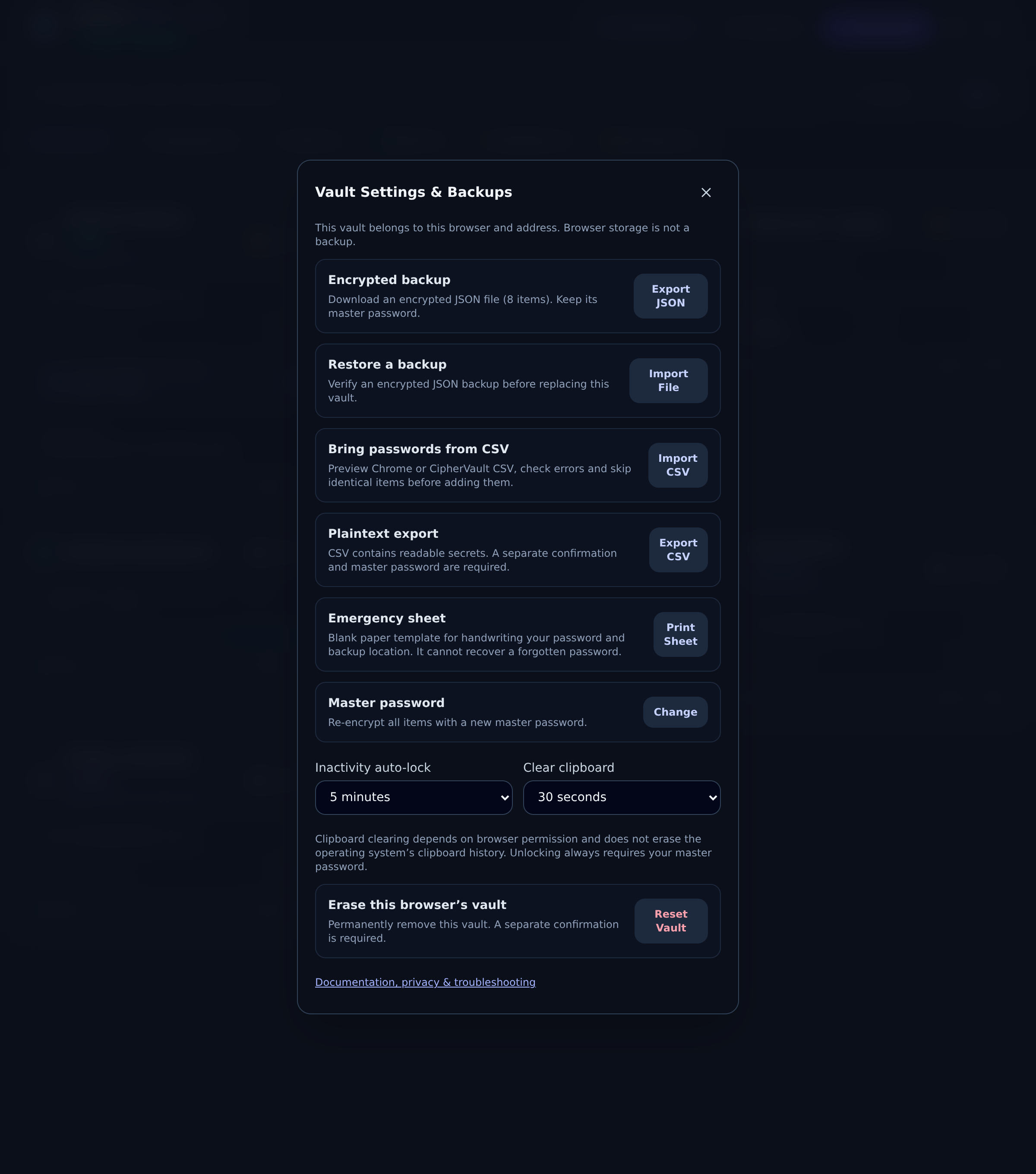
Export encrypted JSON backups, validate a replacement restore and manage locking and master-password settings.
03 / KNOW EXACTLY WHAT YOU ARE TRYING
The public demo uses the application's entry components with temporary, in-memory samples. No account or master password is required.
Read the buyer guide| Workflow | This demo | Full app |
|---|---|---|
| Logins, notes, cards & identities | Fictional samples | Included |
| Search, filters, favorites & editing | Try it now | Included |
| Password / passphrase generator | Try it now | Included |
| TOTP from pasted keys | Sample key | Included |
| Encrypted persistence & vault locking | Not enabled | Included |
| Watchtower, CSV & backup / restore | Screenshots & guide | Included |
| Cloud sync, autofill & password recovery | Not available | Not included |
Local storage still needs care. The full app stores vault data in the current browser profile and origin. Keep separate encrypted backups. CipherVault has not received an independent security audit, and it does not guarantee offline reload. A compromised host, browser or device can expose an unlocked vault.
04 / WHEN YOU MAKE IT YOURS
The source package includes an English user manual, setup instructions, tests and a Windows launcher. Run the full application locally or build it for your own trusted HTTPS host.
Read installation instructions# From the extracted folder with package.json
npm start
START_CIPHERVAULT.cmd on Windows.These steps are for the purchased application. The web demo opens immediately.
05 / A FEW USEFUL ANSWERS
No. Select Launch demo to enter immediately with fictional samples. You do not need a Codester, Netlify or CipherVault account to use a publicly deployed demo.
No. Use fictional information only. The demo keeps entries in memory and resets on reload. It does not encrypt or persist your edits. Browser extensions and your device can still access the page.
It is a source-code application to install, customize and maintain. Hosting, a domain, managed accounts, cloud synchronization, team sharing and installation services are not included.
No. It does not include a browser autofill extension, biometric unlock, QR-image scanning, attachments or forgotten-password recovery. TOTP accepts pasted Base32 keys or supported setup URIs.
The full application needs Web Crypto, Web Locks and localStorage on localhost or trusted HTTPS. The demo needs JavaScript and Web Crypto. Initial page loading uses the network; there is no guaranteed offline reload. Optional HIBP checks are available only in the full app.
The buyer guide covers installation, fit, limitations and support. The full user manual describes application workflows. Reproducible defects and documented setup questions are within the stated support scope; customization and data recovery are not.
MAKE IT YOURS
Get the React and TypeScript source, full application and English documentation.
See current pricing and license options on Codester.